The brief
Sprachschule Yang is a Chinese and Japanese language school in Zürich Wiedikon. Six teachers, six rooms, two owners administering the timetable.
They ran their booking on a commercial scheduling product. When its price went up, the question landed in an uncomfortable place: they were paying for a package built for organisations many times their size, and using a fraction of it. Renewing meant paying more for capacity they would never touch. Not renewing meant no scheduling at all.
They asked us whether a custom replacement made commercial sense — and if so, to scope, price and deliver it.
The decision that mattered
Whether to build at all.
This is the part of the engagement that carried the value, and it is worth being precise about how it was decided. We counted what the school actually used: how many rooms, how many people, which of the product’s features appeared in a typical week, and what would break if each one disappeared. Then we costed the alternatives over three years, including the part most estimates leave out — what it costs to keep a custom system alive after it ships.
At this size, building won. The requirement was small, stable and unlikely to grow: a school with six rooms in one building does not wake up needing multi-site resource planning. That combination is exactly when a subscription priced for scale stops making sense.
It is equally worth saying when it would not have won. Had the school been opening locations, or had the timetable needed to talk to payroll and invoicing, the answer would have been to keep renting. Build-vs-buy is a judgment about a specific business at a specific size, not a preference.
What we made
A scheduling system the school owns, covering what they actually do: teachers book their own classes, owners administer the whole calendar, six rooms, no double-bookings.
That last one is doing more work than it sounds like. A term of lessons is booked as a series rather than one evening at a time, so the check has to run across every date in it — and if a single one of those rooms is already taken in week nine, the whole series is refused and the clashing dates are named back to you. The alternative is a term that looks booked in September and falls apart in November.
The access model, defined during requirements
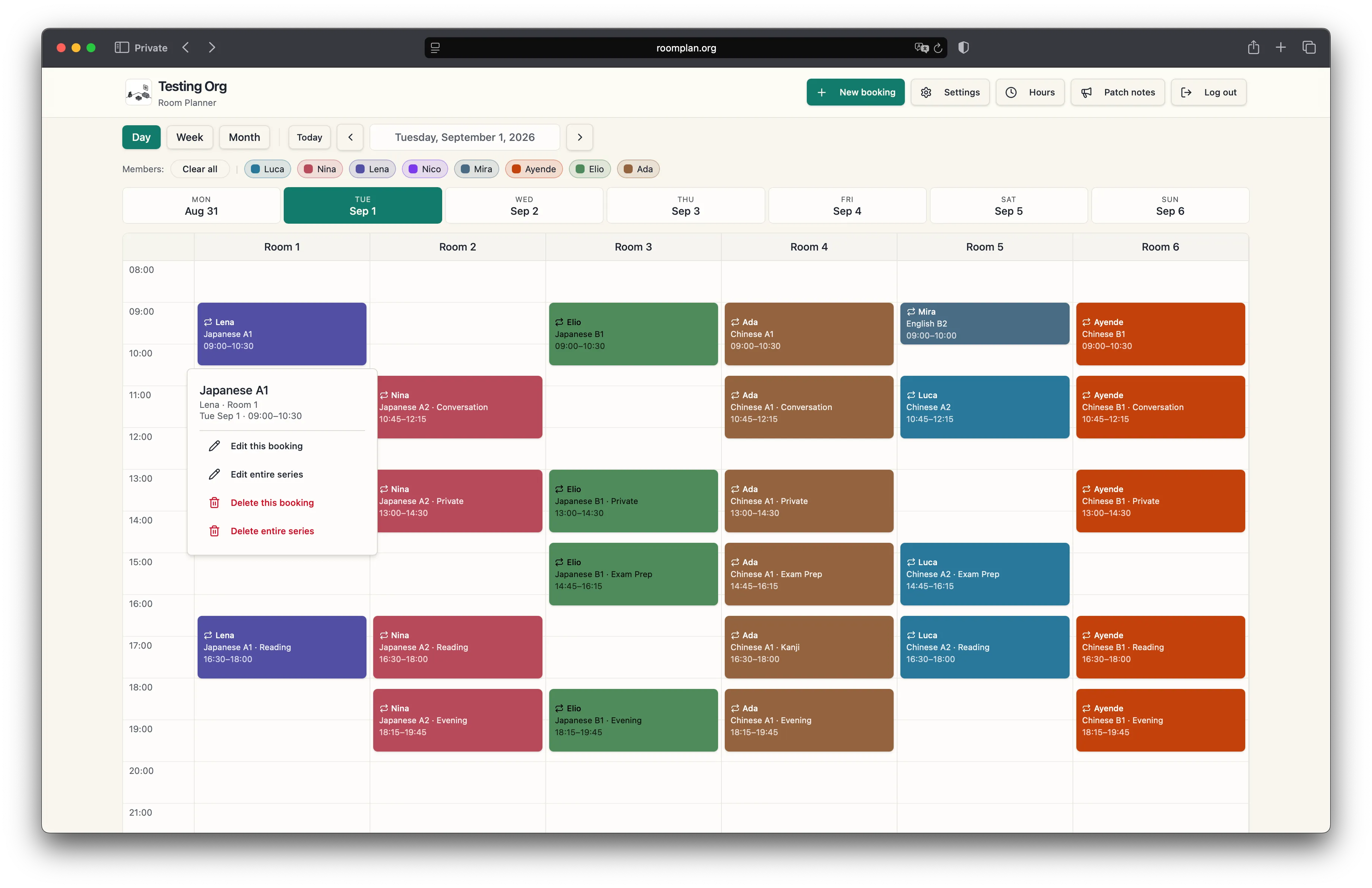
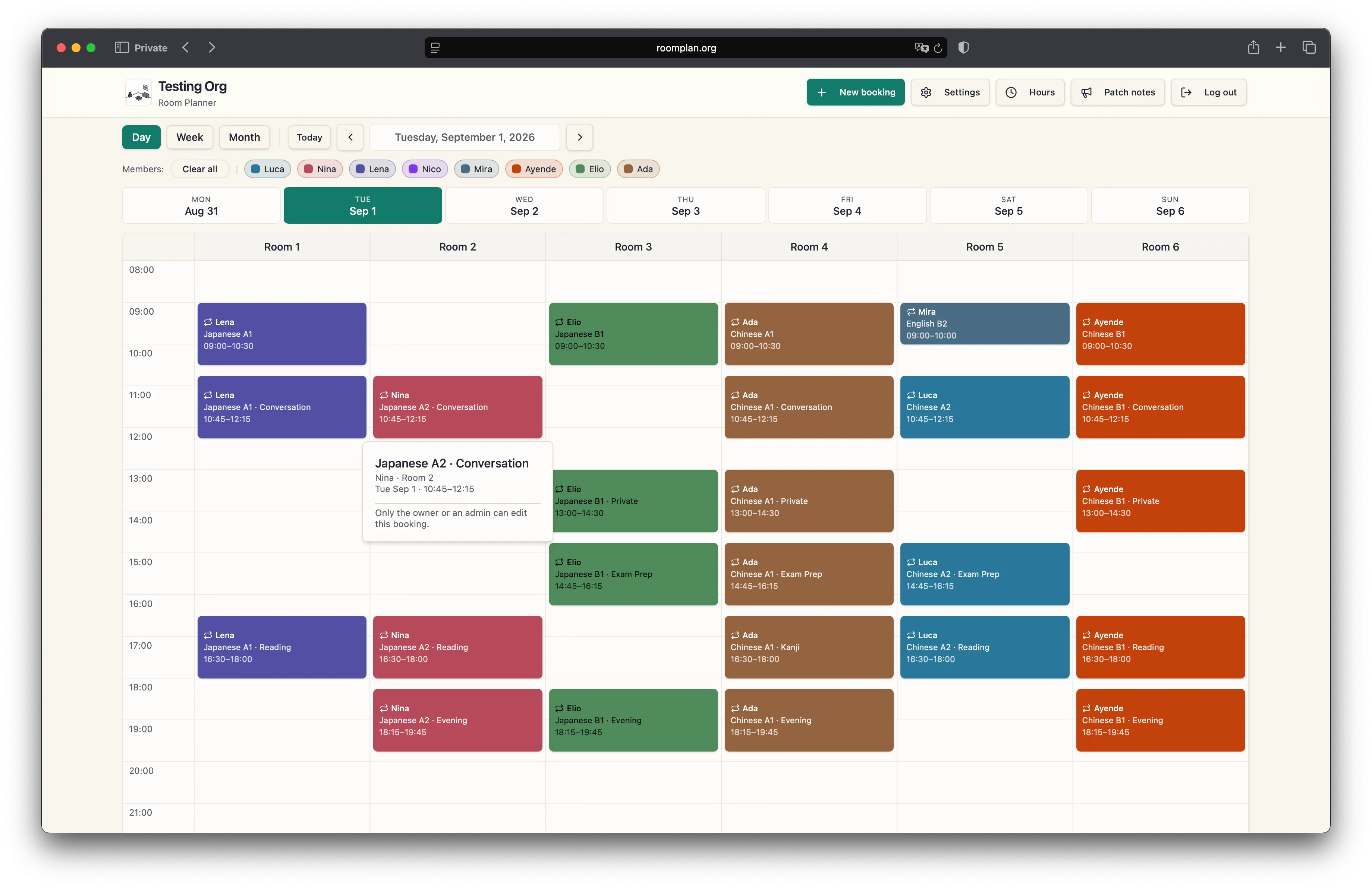
Two roles in a hierarchy — teachers hold edit rights over their own bookings, owners over everything. The split is scope, not read-versus-write.
The value is when that was decided. Settled during requirements, a role split costs one conversation. Retrofitted after the build, it costs a data migration and a revision of every query that assumed a single kind of user. This is the cheapest decision in the project and the most expensive one to postpone.
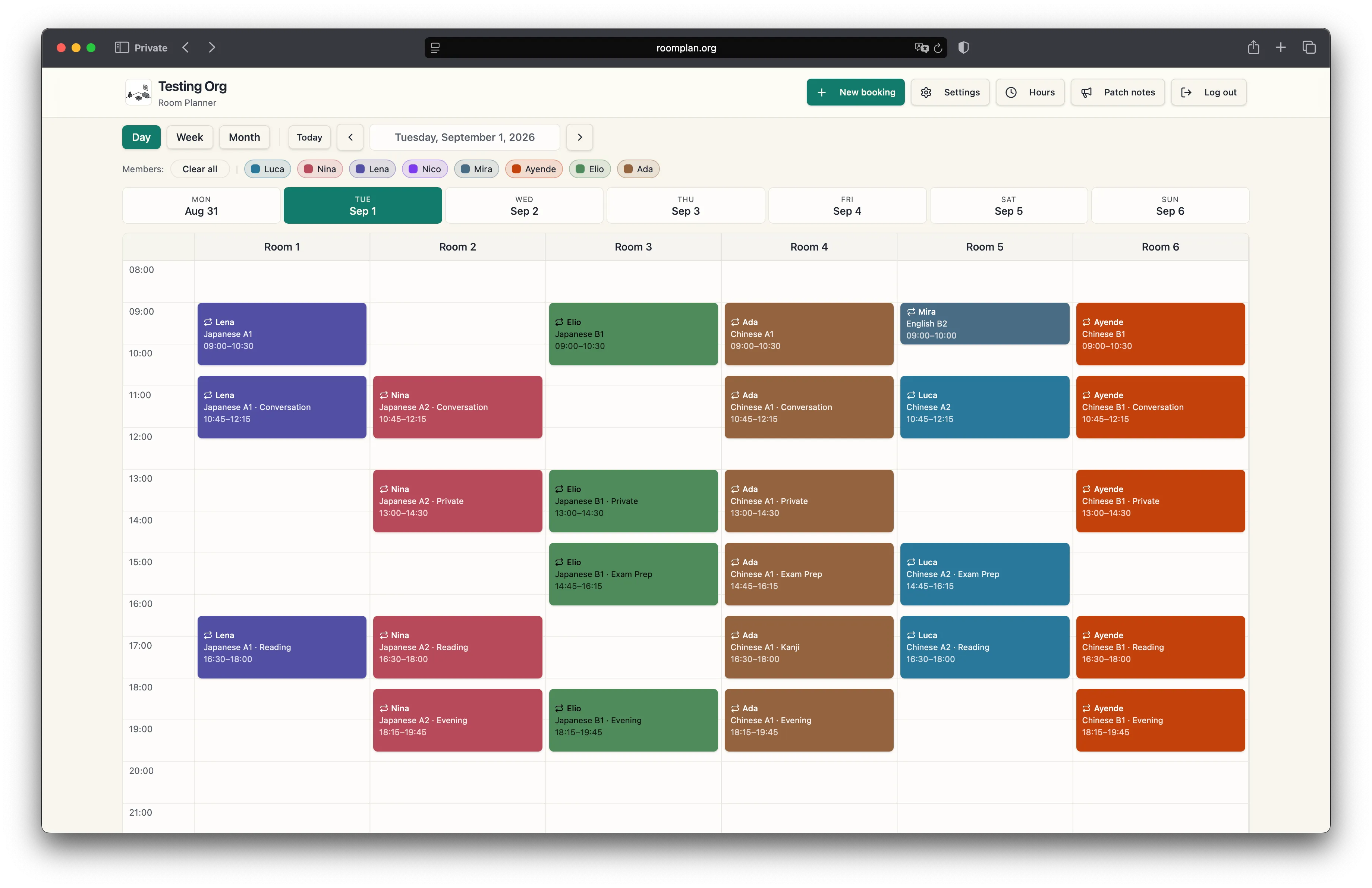
Teachers see that same schedule in full. What changes is what they can touch — their own lessons open, a colleague’s does not.
Who did what
Two people worked on this one.
One is a senior software engineer — the database, the access rules, the deploy, the parts that decide whether a system is still standing in year three. The other is a product engineer — the conversation with the owner, what gets built and what does not, and the interface people actually put their hands on. Between us that runs from infrastructure through to design, with nobody in the middle for the intent to get lost on.
On this project the product engineer ran the requirements with the owner, made the build-vs-buy call, wrote the scope and the estimate, and defined the access model. The software engineer implemented it and took it to production in July.
Since August it has run the other way. The new feature work — the hours report, the mobile pass, the term breaks, the Postgres migrations underneath them — is written by the product engineer, and none of it goes live without the software engineer. Nothing reaches the school’s live schedule on one person’s say-so, which matters more on a system a business runs its week on than anything we could say about our own process.
What the school still could not do
Nobody at the school could say how many hours anyone had taught.
Neither could the software they had been renting. Working it out meant opening the calendar at the end of the month and counting by hand, teacher by teacher — a job small enough to put up with and large enough to get wrong, every month, for as long as anyone could remember.
The second release, live at the end of August 2026, took three things off them.
An hours report
Lessons and hours per person over any date range, a column per month, copied or downloaded as a spreadsheet. The number you invoice on now comes out of the system instead of out of a calculator.
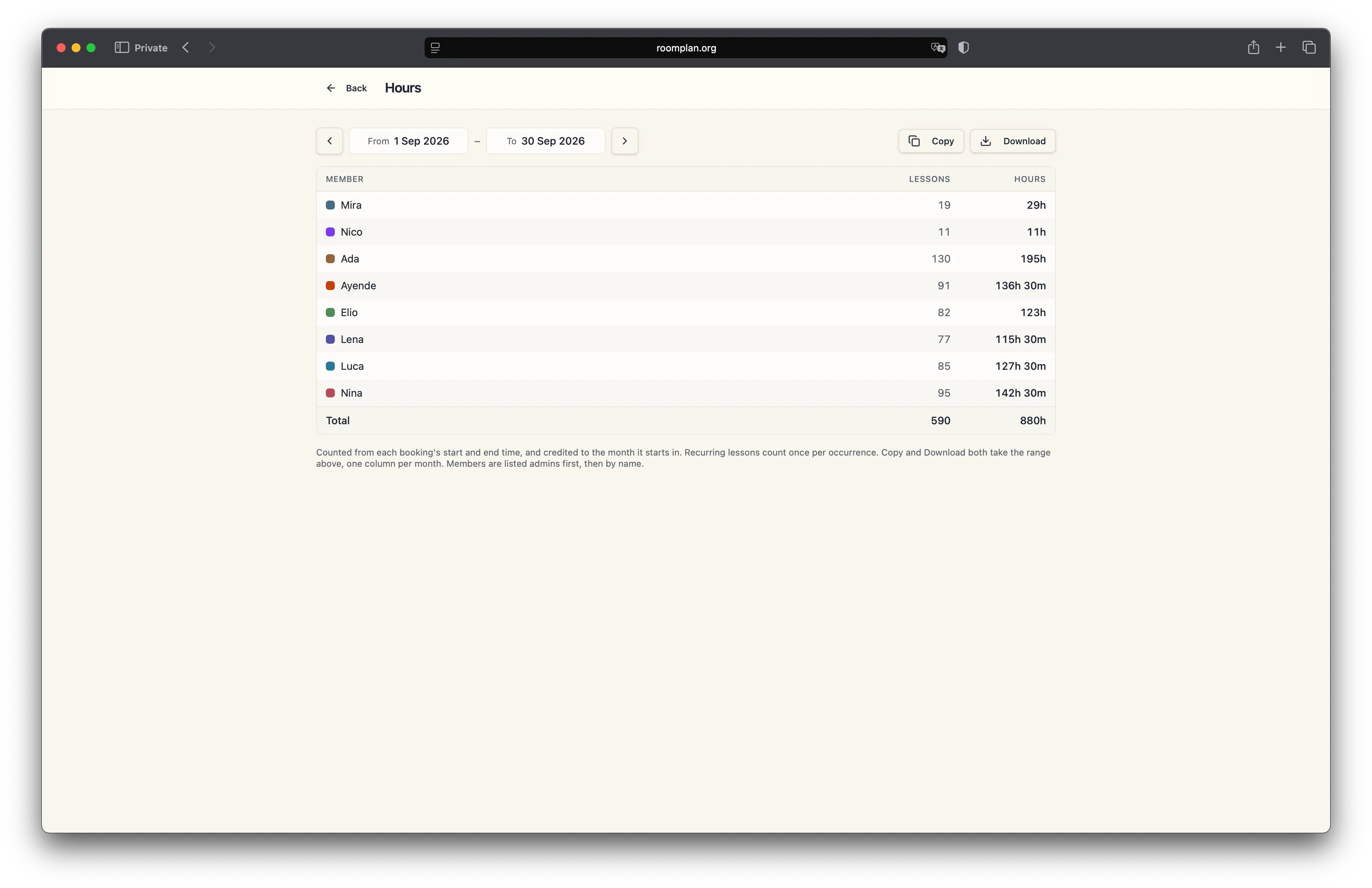
One thing about it is worth saying plainly, because it is the kind of decision that never shows up in a demo: it will not print a number it cannot stand behind. Ask it for a range too large to read in one pass and it says so, rather than returning a confident total that is quietly missing the busiest week. These figures decide what people get paid. A wrong one costs more than a missing one.
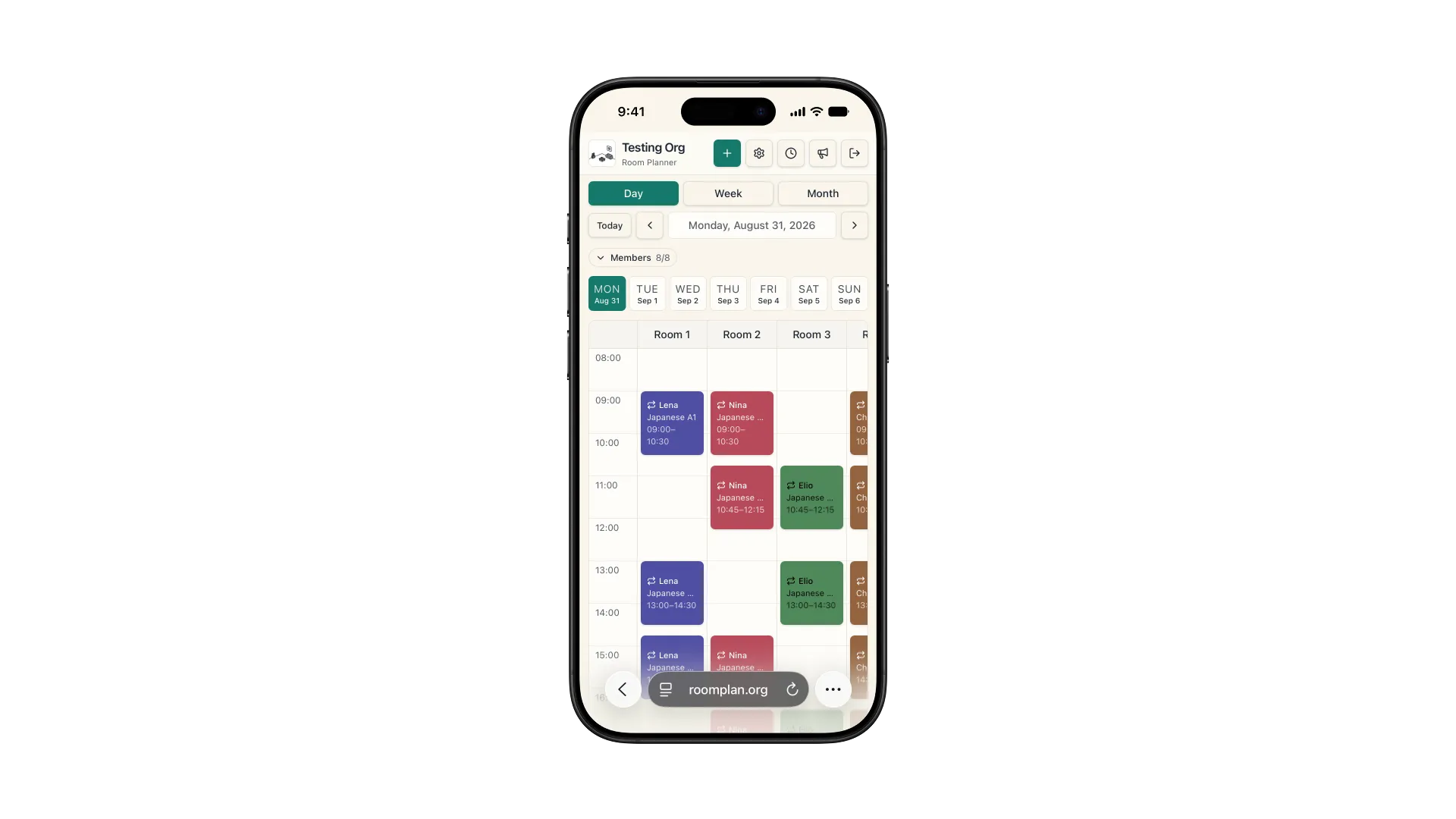
A calendar that survives a phone
The time column stays put when you scroll sideways to a later room, so a lesson can never appear on screen without the hour it starts.
A colour per teacher that nobody else holds
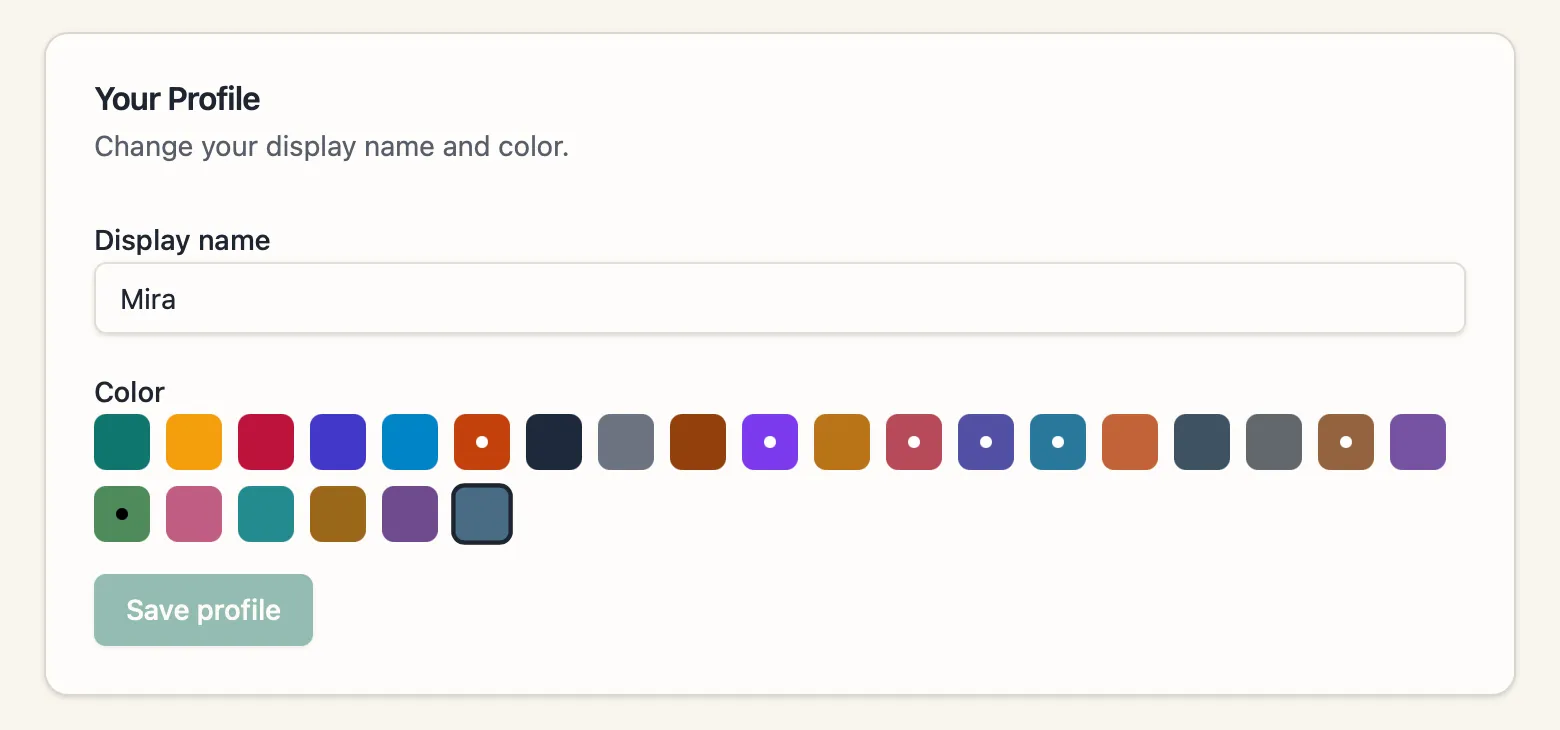
On a grid of six rooms and eight people, colour is how you find your own lessons without reading a single word. Two teachers sharing one is not a cosmetic problem — it is a timetable you have to check twice. So the palette was widened and every teacher now draws in a colour nobody else in the school has, the bookings already in the system included. Those had to be repaired rather than reassigned: people had been teaching in those colours for months.
Then they asked for an app
The school wanted a native app on top of the scheduler. We told them not to buy one.
What they actually wanted was to reach the schedule quickly from a phone, and that is a much smaller thing than an app. A native build would have added push notifications, offline access, and a window with no browser chrome. For eight people checking which room is free at four o’clock, none of the three was the need.
So they got an icon. We drew the mark, wired it in, and showed them how to put the schedule on their home screen — two lines of code in place of a project we would have been paid to build.
The savings from leaving a subscription are only real if the people who replaced it are still willing to talk you out of spending.
A deleted lesson that came back
A term of weekly classes has holidays in it, and taking one out meant deleting those lessons from the series. That did not hold. Change anything about the series afterwards — nudge its end date, move its time — and every deleted lesson quietly came back.
Nothing on screen said so. The hours simply went up, for a teacher who had not touched a thing. That was a defect in software we delivered, sitting directly under the figures that decide what people get paid, and it is the kind that never throws an error for anyone to report.
The third release, in September 2026, fixed the cause rather than the symptom.
A holiday is now part of the term
Open a lesson in a series, choose Skip dates, and give it a from and a to. The lessons in between come off the calendar, the series carries on either side, and the hours drop by exactly what was removed. The gap is written into the series rather than cut out of it, so no later edit can fill it back in. Christmas and the February holidays are two gaps in one course, not two courses.
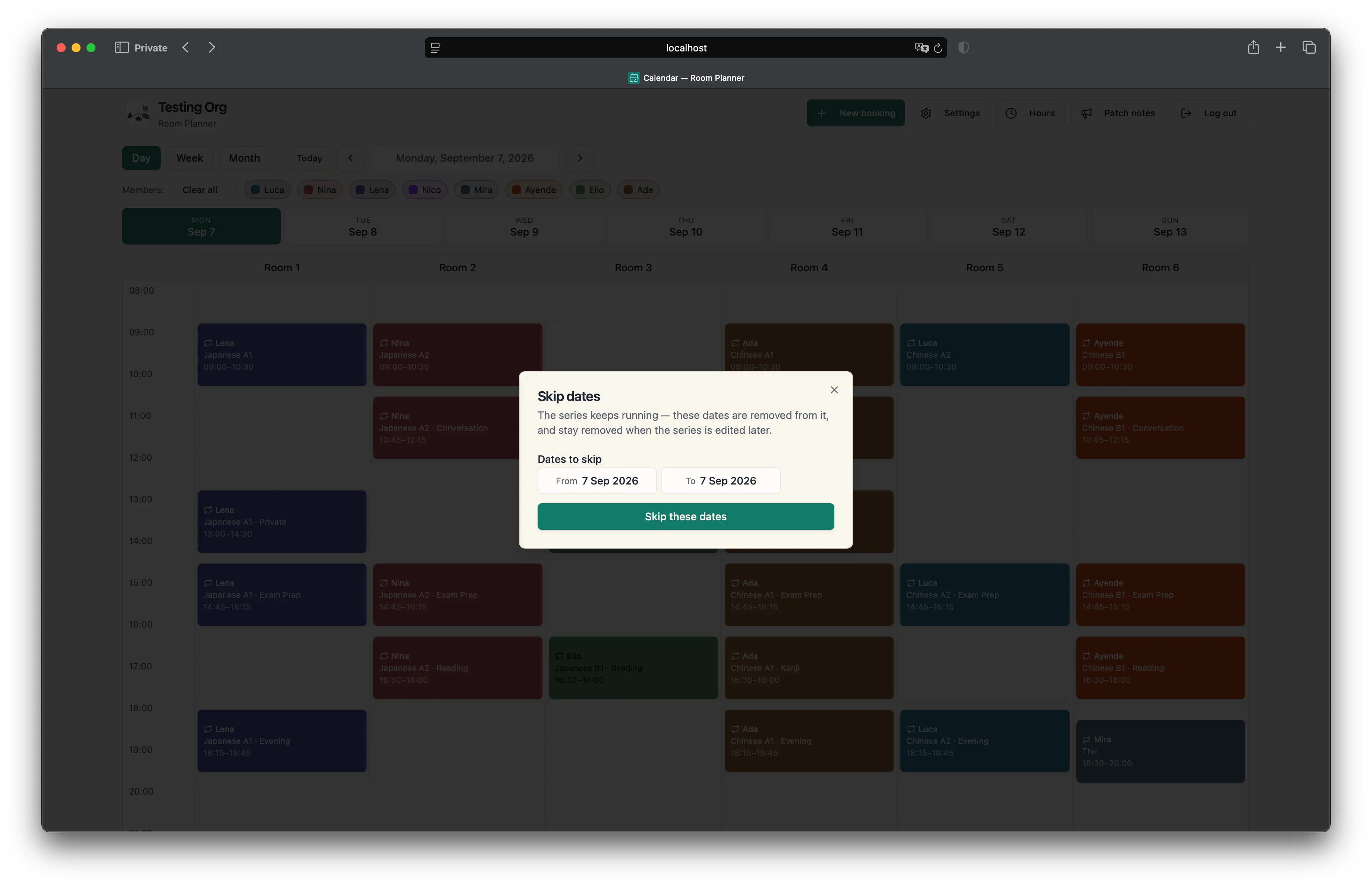
Deleting a single lesson from a series now records the same kind of gap, and the button says Skip this date rather than Delete, because that is what it does. Every gap can be restored on its own, and restoring puts back only the dates that were missing — a lesson someone had moved to another afternoon stays where they put it.
What we chose not to repair
We did not go back and convert the gaps made before the fix. A date missing from a term might have been deleted, or its lesson moved to another day, and the data cannot tell those two apart. Converting them would have meant rewriting a live timetable on a guess. The release changed no booking that was already there — the same refusal to guess as the hours report, applied to the calendar.
It was built and tested against a local copy of the database before it went anywhere near the one the school’s timetable lives on.
The result
In production since July 2026. Eight people across two roles — two owners administering the whole schedule, six teachers scoped to their own — booking six rooms. The subscription is gone, and the second release landed at the end of August without the school losing a day of scheduling.
We hold the maintenance contract and the feature work — the arrangement we would recommend to anyone leaving rented software, because the savings are only real if somebody is still looking after the thing in year two.
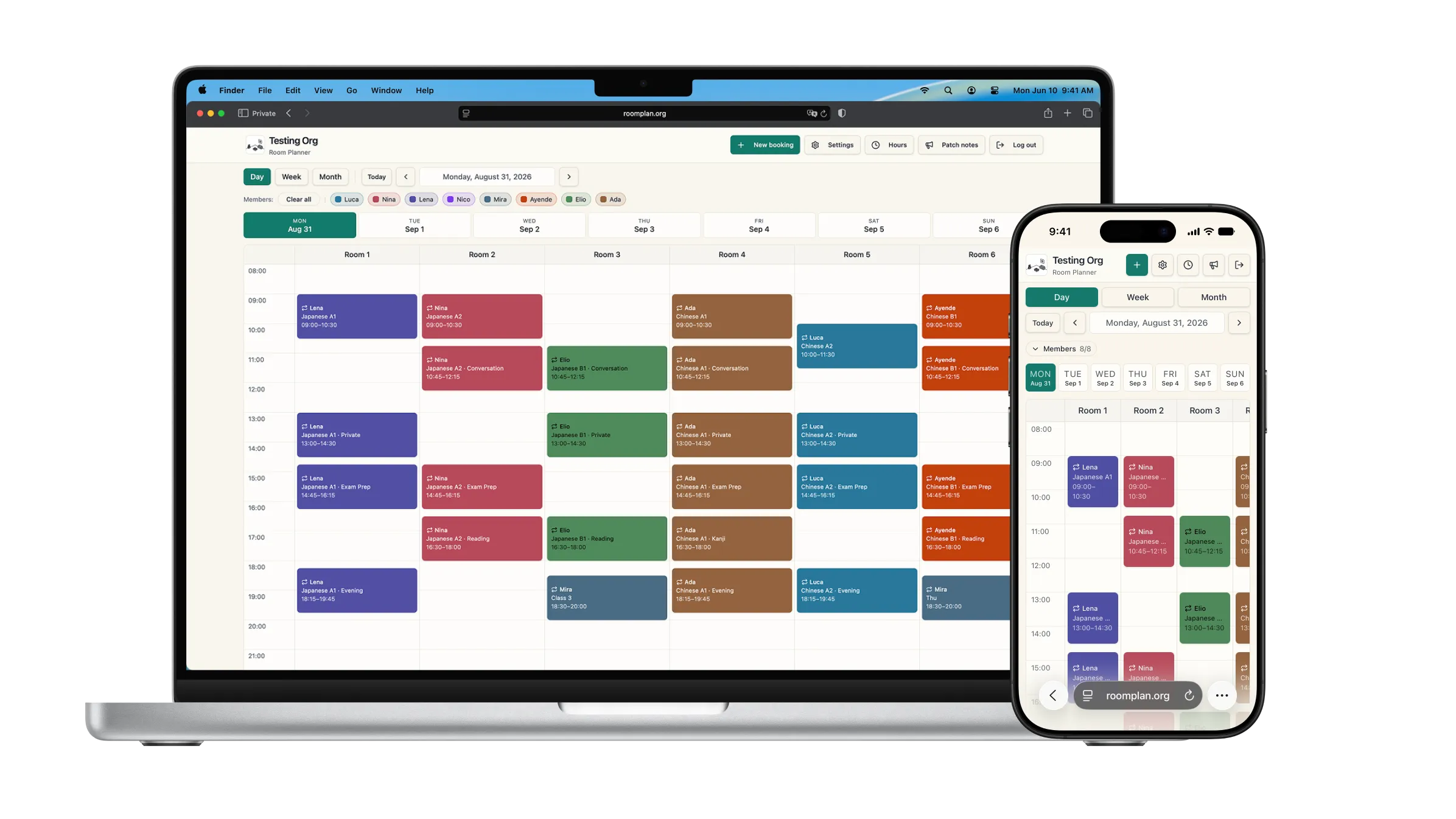
And here it is running — the same schedule read three ways: a day for a teacher checking a Tuesday, a week for whoever is covering a room, a month for planning a term.
The repository is private, so there is no code to show here — and for the same reason nothing you see above is the school’s own timetable. It is the delivered software running on a demonstration organisation we keep for the purpose: the teachers, the courses and the bookings in it are invented.
What this shows
The useful work was not the calendar. It was knowing what to build, what not to build, and saying which before anyone had committed a budget to it — and then still being there in August to say it again about the app.
That is the same question we would ask about your problem, and the answer is sometimes keep paying the subscription.